Dimraeth Controls
Keyboard, mouse, gamepad, or hybrid — pick a scheme, then practice dodge and five spell slots.
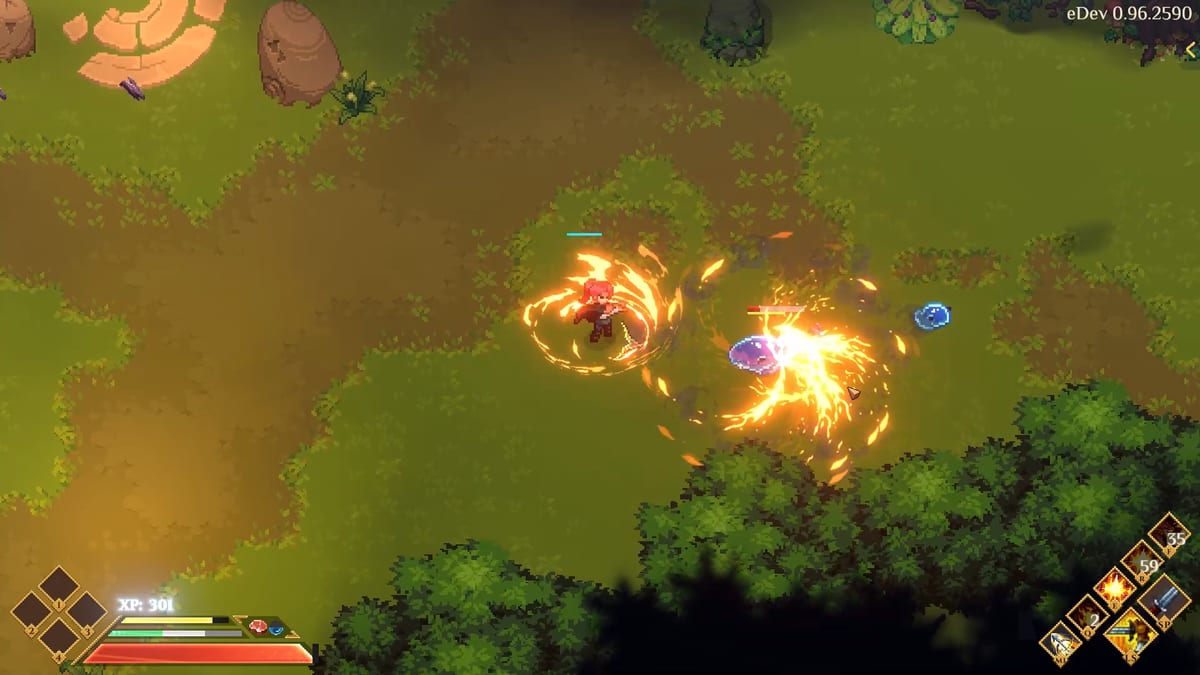
Mudtek’s official FAQ lists three ways to play Dimraeth: keyboard and mouse, gamepad / controller, and a WASD and mouse hybrid. Steam Deck is supported. Console releases are not confirmed; the studio is focused on PC Steam first. Early Access is dated 15 September 2026. This page describes those modes and the combat actions you must be able to reach. It does not reprint a leaked full default keybind table, because we do not have an official public bind dump to copy.
Use this with Combat Systems, Getting Started, Boss Fights, and system requirements. A perfect archetype still dies if dodge lives on a button you cannot find.
What we know is supported
Keyboard and mouse. Precision and speed. In an isometric Souls-lite, mouse aim is how you point a Human crossbow, a Fairy staff, or a ground-targeted Magician spell without fighting a stick’s inner deadzone. A common PC layout puts movement on WASD and looking/aiming on the mouse. Treat that as the expected desk posture, not as a screenshot of Mudtek’s options menu.
Gamepad. Tuned for comfort. If you came from other Souls-lite games, you already expect face-button attacks, a shoulder dodge, and a trigger or bumper for block/parry. Dimraeth’s FAQ promises controller support; it does not publish the glyph map here. Sit in a safe Earlwood corner and tap every control until strike, dodge, block/parry, interact, inventory, and five spell slots are obvious.
WASD and mouse hybrid. Officially called out as its own mode for flexible control — movement on WASD while another action layer stays on the mouse, or mixed with a pad. If you play on a desk with a controller in your lap, test this before a Corrupted Treant, not during one.
Steam Deck. Confirmed. Minimum PC specs are modest (Windows 10, 4 GB RAM, GTX 750 / R7 260X / Intel UHD 620, DirectX 11, 5 GB). Recommended is Windows 10/11, i5 6th gen / Ryzen 3, 8 GB RAM, GTX 1050 Ti / RX 560, DirectX 12, 10 GB. Deck play is still a handheld: confirm you can reach five spells without a chord you will miss under a telegraph.
Combat actions you must bind in your head
Regardless of device, combat asks for this vocabulary:
- Move in eight directions on an isometric plane.
- Strike / basic attack — this is also how Concentration comes back.
- Final Attack awareness — the third hit is the payoff; your input rhythm has to allow a third hit.
- Dodge — stamina-priced. Panic-tapping dodge is how you empty the bar before the real swing.
- Block / parry — listed in official combat copy as a choice alongside strike and dodge. Learn which one your scheme actually performs; do not assume a Dark Souls jump-back.
- Five spell slots — not one “magic button.” If your pad hides spell 4 and 5 behind a hold, practice the hold.
- Interact / talk — Earlwood is full of people; you will miss Befr and Manga if interact shares an awkward chord with strike.
- Menu / inventory / map — stronghold placement needs a cursor or a reliable rotate-and-confirm.
We will not invent default keys such as “F is lock-on” or “Space is dodge” unless Mudtek publishes that list. If a creator overlay shows binds, treat it as that creator’s remap.
Accessibility of the fight, not of a spreadsheet
Dimraeth is commitment combat. A bad bind feels like a fake telegraph. If dodge and spell 1 share a cramped corner of a Deck, you will roll into Monstrous Droop instead of spending a spell. Rebind in software (Steam Input on Deck and many pads) if the in-game menu does not yet show what you need — and file missing options in Discord #bug-reports.
Building and menus
Stronghold placement is a different input problem than a dodge. Mouse users usually have the advantage for farms and furniture. Pad users should confirm rotate, cancel, and height (if any) before they spend a session fighting the cursor. Hybrid WASD-plus-mouse is often the least painful for a long craft night.
Co-op practicality
Co-op is online P2P, not two pads on one TV. Each person brings their own scheme. Voice call your dodge plan, not your key names — “I don’t have a parry bind yet” is a useful sentence; “hit X” is not, when X is four different glyphs.
A 10-minute input drill
- In a safe area, move a full circle without sliding into a wall.
- Land a three-hit string so the Final Attack actually fires.
- Dodge twice, then confirm stamina recovered before you dodge a third time.
- Block or parry one slow enemy swing — if you cannot tell which you did, the bind is not learned.
- Press each of the five spell slots once.
- Open inventory and close it without accidentally swinging at Befr.
- If any step required looking down at the keyboard, rebind or slow down before Wildwood.
When the drill is boring, you are ready for bosses. Controls are finished when you stop thinking about them. Until Mudtek posts an official full table, honesty beats a fake key list. Bind the verbs, practice the meters, and let the upcoming Early Access patch notes correct us if a default glyph changes. If you still need the rest of the how-to map, return to the Guides Hub.
Frequently Asked Questions
Quick answers for Dimraeth players.
What input methods does Dimraeth support?
Keyboard and mouse, gamepad/controller, and a WASD-and-mouse hybrid. Steam Deck is supported. Console versions are not confirmed.
Do you have the default PC keybinds?
No complete official bind dump is reprinted here. Common PC movement is WASD plus mouse, but treat that as a typical desk layout, not a leaked options screenshot.
Can two people play on one screen?
No. There is no local split-screen. Co-op is online on a peer-to-peer host, up to eight players.
Is Steam Deck actually supported?
Yes. Mudtek states full Steam Deck support for the PC Steam release. Still test five spell slots and dodge on the handheld before a boss.
What actions matter most to bind well?
Strike, dodge, block/parry, interact, and all five spell slots. Basic attacks also refill Concentration, so strike cannot be a clumsy afterthought.
Where do I report a bad control option?
Discord #bug-reports with your device (keyboard, pad, Deck) and what you expected the control to do.